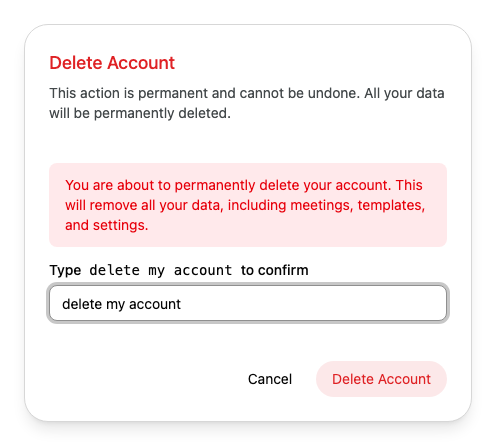
Check where you are signed in to Alcova, sign out of devices you no longer use, and delete your account if you leave.
To open these settings, open Settings and select Security. See Open settings.
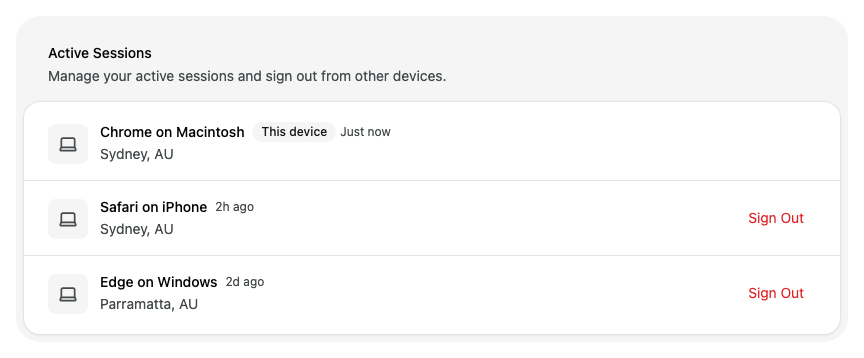
See where you are signed in
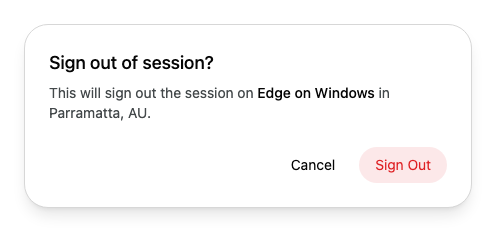
Active Sessions lists every browser where you are signed in to Alcova. Each row shows the browser, the device, the location and when you last used it. The browser you are using now is marked This device.
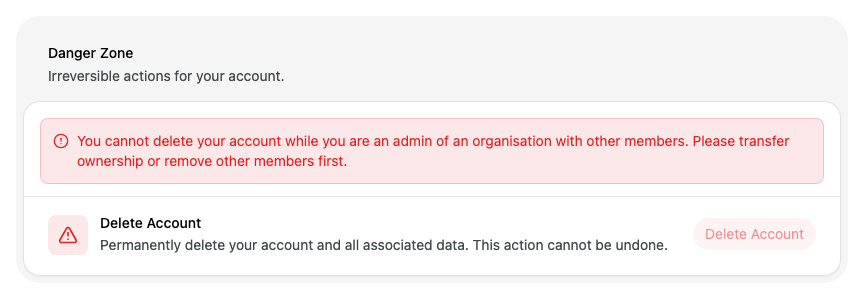
If you are an admin of an organisation that has other members, you cannot delete your account. Danger Zone explains why and Delete Account is unavailable.
Ask another admin to change your role to Member. You cannot change your own role. See Change someone's role.
Remove the other members of your organisation. See Remove someone.
If something goes wrong
"Failed to revoke session. Please try again." Alcova could not sign the device out. Select Dismiss, then try again.
"Verification was cancelled. Please try again." Alcova asked you to confirm your identity and you closed the request. Try again and complete the check.