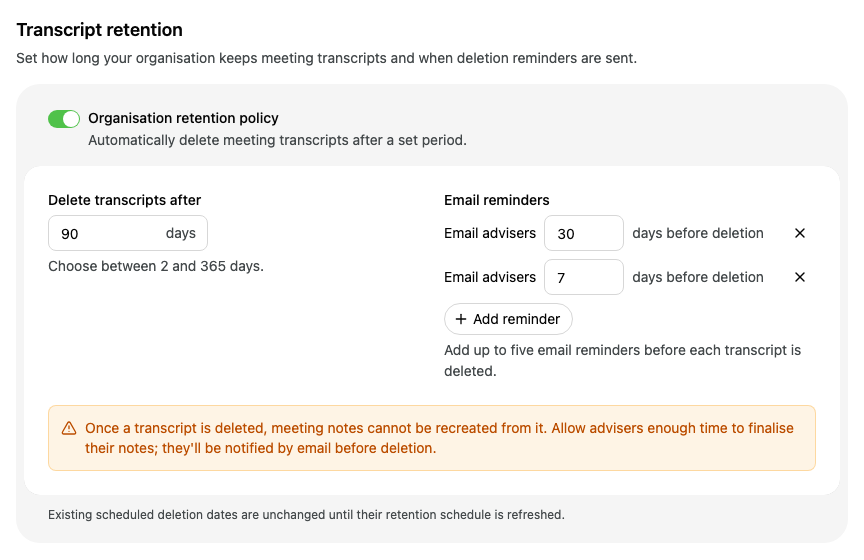
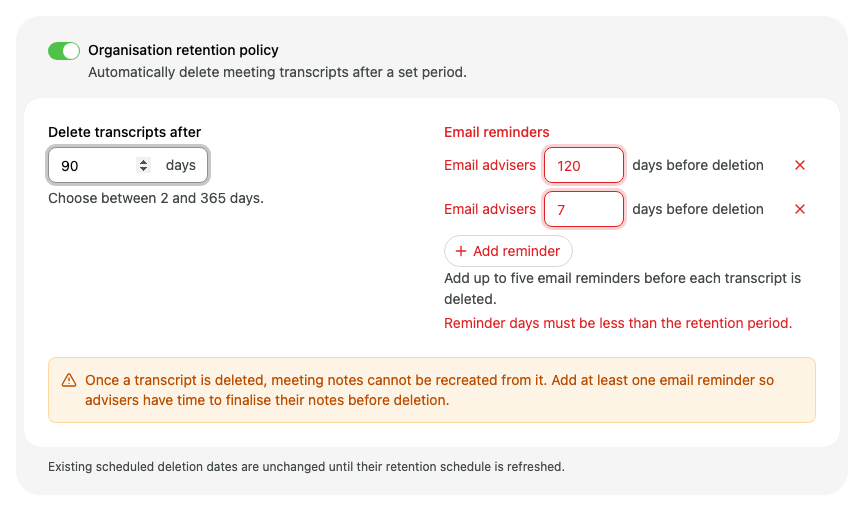
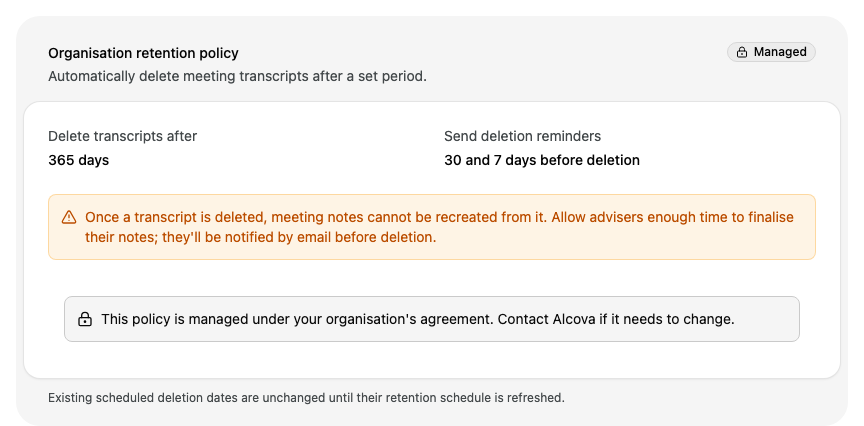
Choose which of your calendar meetings Operator joins to take notes. If you are an organisation admin, you can also set how long your organisation keeps meeting transcripts.
Before you start
Operator joins meetings from the calendars you sync. Connect a calendar and turn on the calendars you want first. See Connect and choose your calendars.
Auto-Join Settings and Domain Filters are your own settings. Each person in your organisation sets their own. Transcript retention shows only for organisation admins and applies to everyone in the organisation.
Save your changes
Changes on this page are not saved straight away. When you change a setting, a bar appears at the bottom of the page with Unsaved changes.
To keep your changes, select Save. The button shows Saving... until Alcova has saved them, then the bar closes.
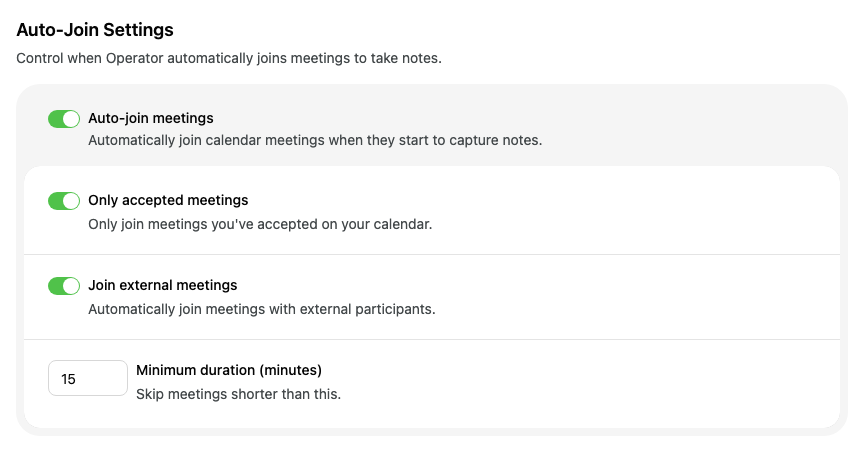
Turn on Auto-join meetings to have Operator join your calendar meetings when they start and capture notes. Turn it off to stop Operator joining your meetings automatically.
When Auto-join meetings is on, you can narrow down the meetings Operator joins:
Setting
What it does
Only accepted meetings
Operator joins only meetings you have accepted on your calendar.
Join external meetings
Operator joins meetings with external participants.
Minimum duration (minutes)
Operator skips meetings shorter than this.
If you turn off Auto-join meetings, these settings go back to their defaults: both switches on and a minimum duration of 15 minutes. Your domain filters are also turned off and cleared. Select Save to keep the change.
Filter meetings by email domain
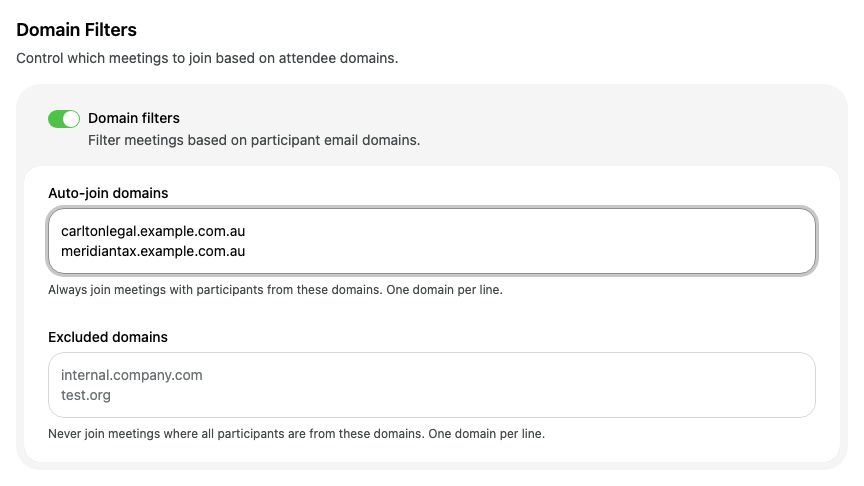
Use domain filters to choose meetings by the email addresses of the people invited. A domain is the part of an email address after the @, for example example.com.au.
Turn on Domain filters.
In Auto-join domains, enter one domain on each line. Operator always joins meetings with participants from these domains.
In Excluded domains, enter one domain on each line. Operator does not join a meeting if anyone invited to it has an email address at one of these domains. For example, enter the domain of an organisation whose meetings must never be recorded. Do not enter your firm's own domain: Operator would then skip every meeting your colleagues attend.
The meeting settings could not be saved. Please try again. Select Save again.
The retention settings could not be saved. Please try again. Select Save again.
These settings are now managed under your organisation's agreement. Refreshing the policy. Your organisation's policy became managed while you were editing it. Alcova shows the managed policy instead of your changes.